Drop in what you have
Staff lists, rate cards and customer spreadsheets. CREW25 AI reads them into your team, customers and price book, and you check everything before it is created.
The AI platform that turns your takeoff into a quote and runs the crew through to the invoice.
14-day free trial, no credit card required.
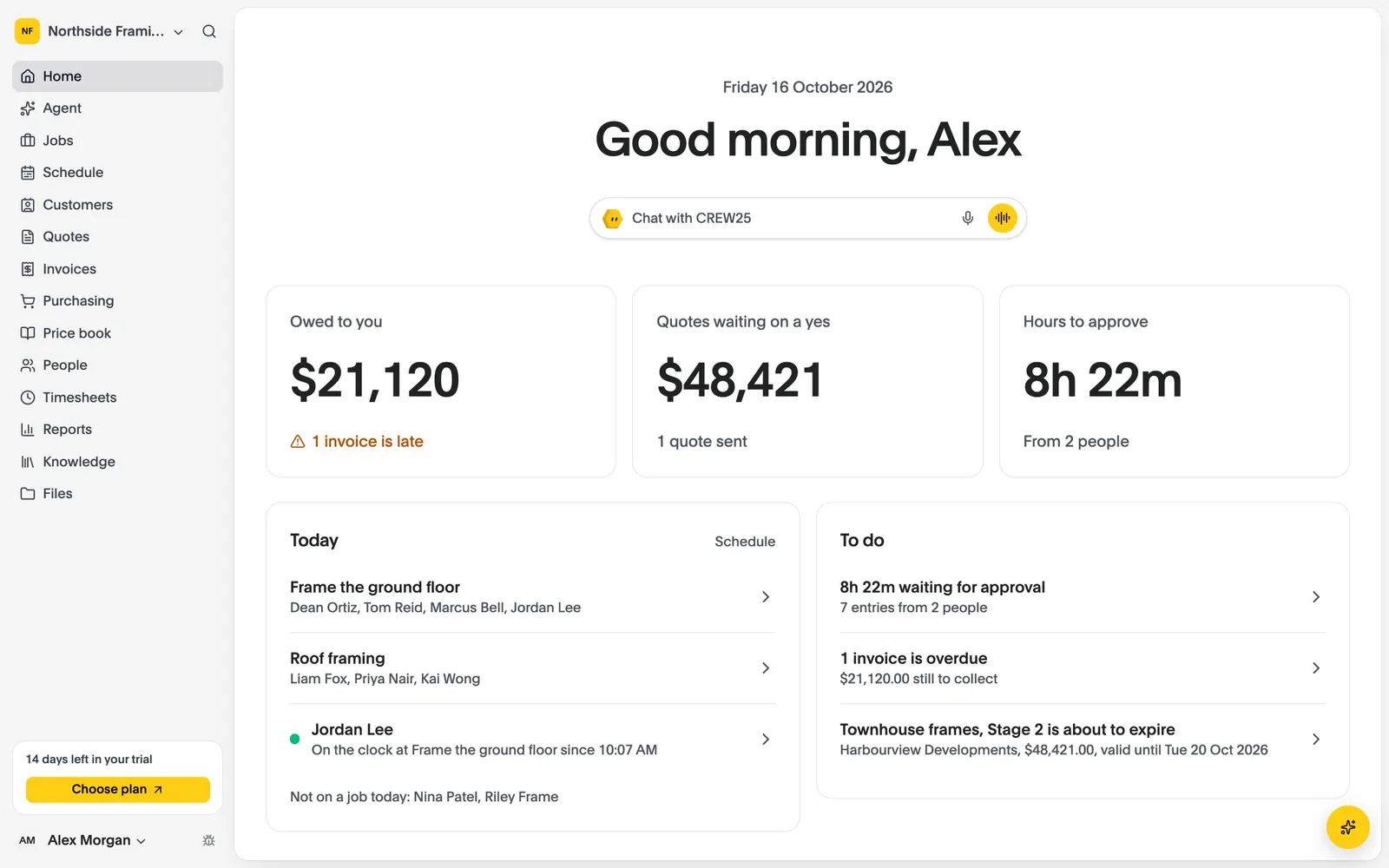
Ask in plain words, typed or spoken. It works from your own jobs, schedule, hours and price book, and checks with you before it changes anything.
Ask for today’s jobs, what’s overdue, a quote or the week’s hours. Anything important, it checks with you first.
Say the job on site and CREW25 AI drafts the quote from your own price book, ready for you to check and send.
Labour is costed as hours are approved, so a job running over shows while there’s still time for a variation.
Reminders go out until the invoice is paid, and payments come back from Xero and card payments by themselves.
Last updated: October 2026, from Buildxact’s own pages.
| Feature | CREW25 | Buildxact |
|---|---|---|
| What it is | The AI job management platform, with plan takeoff. | Estimating and job management software for builders and renovators. |
| Pricing | One plan with every feature: A$79 a user a month billed annually, or A$99 month to month. Only users who accept an invitation are billed, and subcontractors are always free. 14-day free trial. | Foundation A$199, Pro A$399, Master A$599 a month ex GST. Unlimited users. |
| Measuring | By hand: lengths, wall areas, areas with openings, volumes and counts. | Digital takeoffs on every plan. The AI Takeoff Assistant scales, names and measures floor plans. |
| AI | CREW25 AI, included in the plan, that answers from your records, drafts quotes and approves hours when you ask. | Blu AI assistants for recipes, estimates and takeoff; the takeoff and estimate review tools are add-ons below Master. |
| From takeoff to quote | Priced from price book items or bundles, sent to a quote in one step. | Estimates and quote letters with e-signatures and supplier connections. |
| Crews and hours | Crew timeline, timesheets approved once, each person costed at their rate. | Schedules, Gantt charts and timesheets from Pro. |
| Job costing | Margin after overheads and on-costs on every job. | Purchase orders, change orders and invoicing. |
| Plans | PDF and image plans. CAD not yet. | Plans uploaded to the web app. |
Buildxact is strong at the estimate. The question is where the job goes once the quote is accepted.
In CREW25 the takeoff lives on the job. Send it to a quote, and when it’s accepted the same job carries the schedule, hours and costs.
YouWhat did we quote the Lee renovation, and has it been accepted?
CREW25 AILee renovation, main scope: A$48,600 ex GST, sent on Monday and accepted yesterday. The variation for the ensuite is still a draft.
An estimate tells you what you hoped to make. The crew’s hours and the materials tell you what you did.
CREW25 costs each person at their own rate and applies overheads once.
YouHow is the Lee renovation tracking against the quote?
CREW25 AILabour is 12 hours over so far and materials are on budget. Margin after overheads is 14%, down from 19% quoted.
Staff lists, rate cards and customer spreadsheets. CREW25 AI reads them into your team, customers and price book, and you check everything before it is created.
Connect Xero and your customers, suppliers and price book come across, then stay in step both ways.
Run one crew or one job alongside your current system, then move the rest. Job and quote history is not imported.
Sources: Buildxact pricing (Australia), Buildxact plans compared, Buildxact Blu Takeoff Assistant, Buildxact Blu AI assistant. Prices and features change; check them before you decide.
Start a free trial, drop in your own spreadsheets and CREW25 AI sets up your team, customers and price book. Then run your jobs in it with your crew for 14 days.