Quote from one rate card.

Every quote reads from the same price book, is itemised by stage, and turns into a payment schedule that can never disagree with it. Then invoice and get paid, in stages, with the numbers already right.
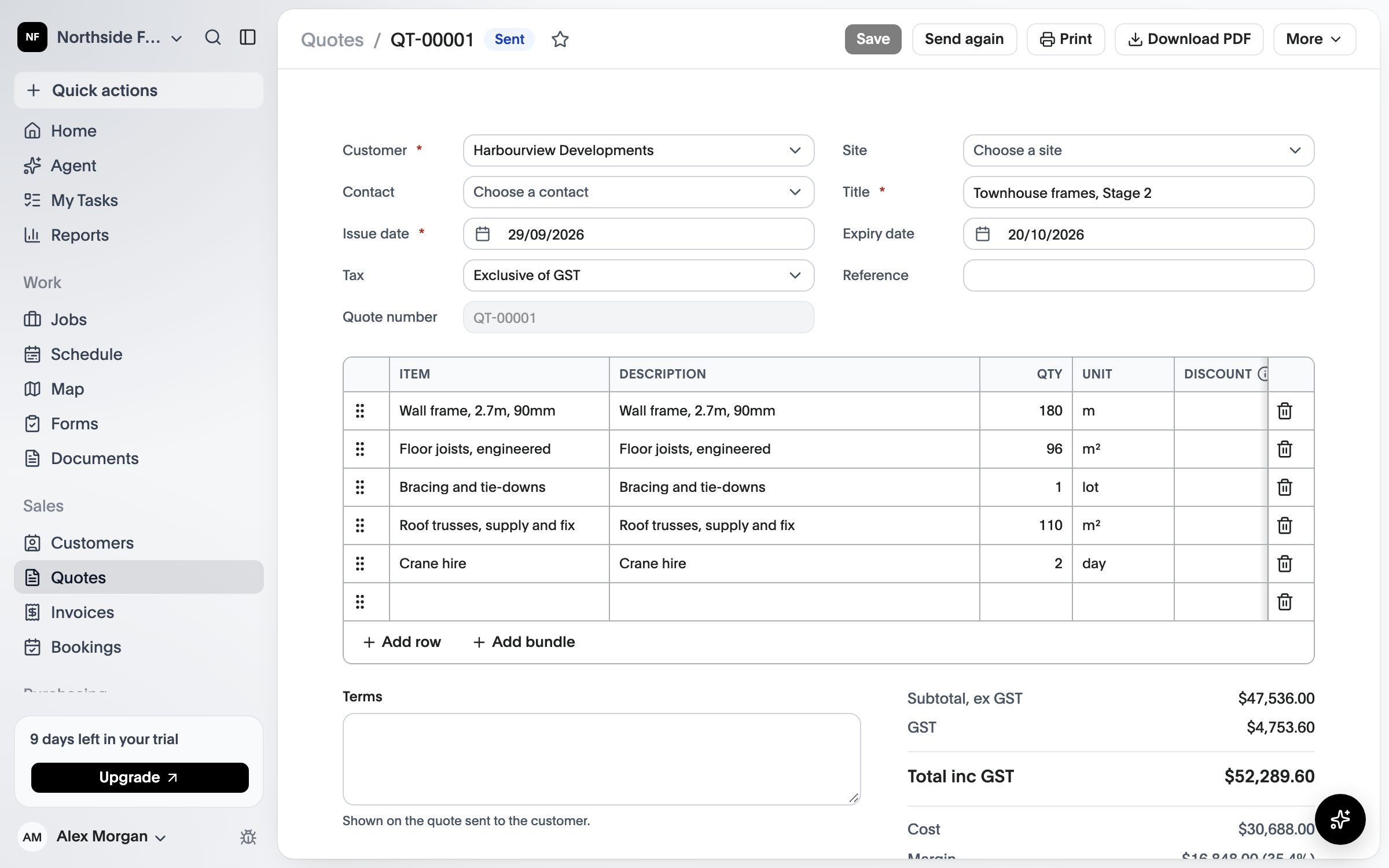
A quote priced in stages from the price book, with each line’s quantity, unit and price
Quotes & invoices

A quote that becomes the contract.

Partly available The core of this is in the product today. The lists below say what works and what is still to come.

01

One price book

Rates live in one place and every quote reads from them, so a wall is one price everywhere. An override is allowed, and it is flagged.

02

Itemised by stage

Customers get the stages priced separately instead of one lump sum, and you can back-cost a rate from a target price.

03

A schedule that adds up

Deposit, stage payments and retention are generated from the quote and must total 100%. Variations are separate lines with a reason.

Today

What works today.

Everything in this list is in the product now.

  • A price book of the rates you quote from
  • Quotes priced in stages, line by line
  • Expected cost and margin before the job starts
  • A payment schedule that must total 100% before a quote goes out
  • Send by email or text message; customers read it and accept online
  • Accepting a quote starts the job at the quoted price
  • Invoices from each scheduled payment, never billed twice, with GST
  • Payments that fall due when a stage is finished
  • Variations that move the price, and can be billed

Still to come

  • Quote options and templates
  • Takeoff import
  • Card payments and Tap to Pay
  • Xero, MYOB and QuickBooks sync
How it will work

From takeoff to paid.

  1. Import the quantities

    Bring in a takeoff from an Excel export instead of retyping it, and price it from your price book.

  2. Send it for acceptance

    Customers accept online. Acceptance issues the agreement, insurances and the payment schedule.

  3. Claim and get paid

    Stage claims go out as invoices, card payments and Tap to Pay are taken on any phone, and it all syncs to your accounting.

A quote priced in stages from the price book, with each line’s quantity, unit and price
What’s included

What comes with Quotes & invoices.

Compare what each plan includes on the pricing page.

  • Price book with rate history
  • Quote templates by job type
  • Options and itemised stages
  • Supplier lines with markup
  • Payment schedules that total 100%
  • Variations with a reason
  • Invoices, card payments and Tap to Pay
  • Xero, MYOB and QuickBooks sync

See CREW25 in action.

See CREW25 with your own trade, crews and jobs in mind.