One cost setup
Set on-costs and overheads once. There is one loading, not one per spreadsheet, and each person’s rates have start dates.
Net margin, not price minus materials: your overheads applied once and every cost added to the job as it happens.
14-day free trial, no credit card required.
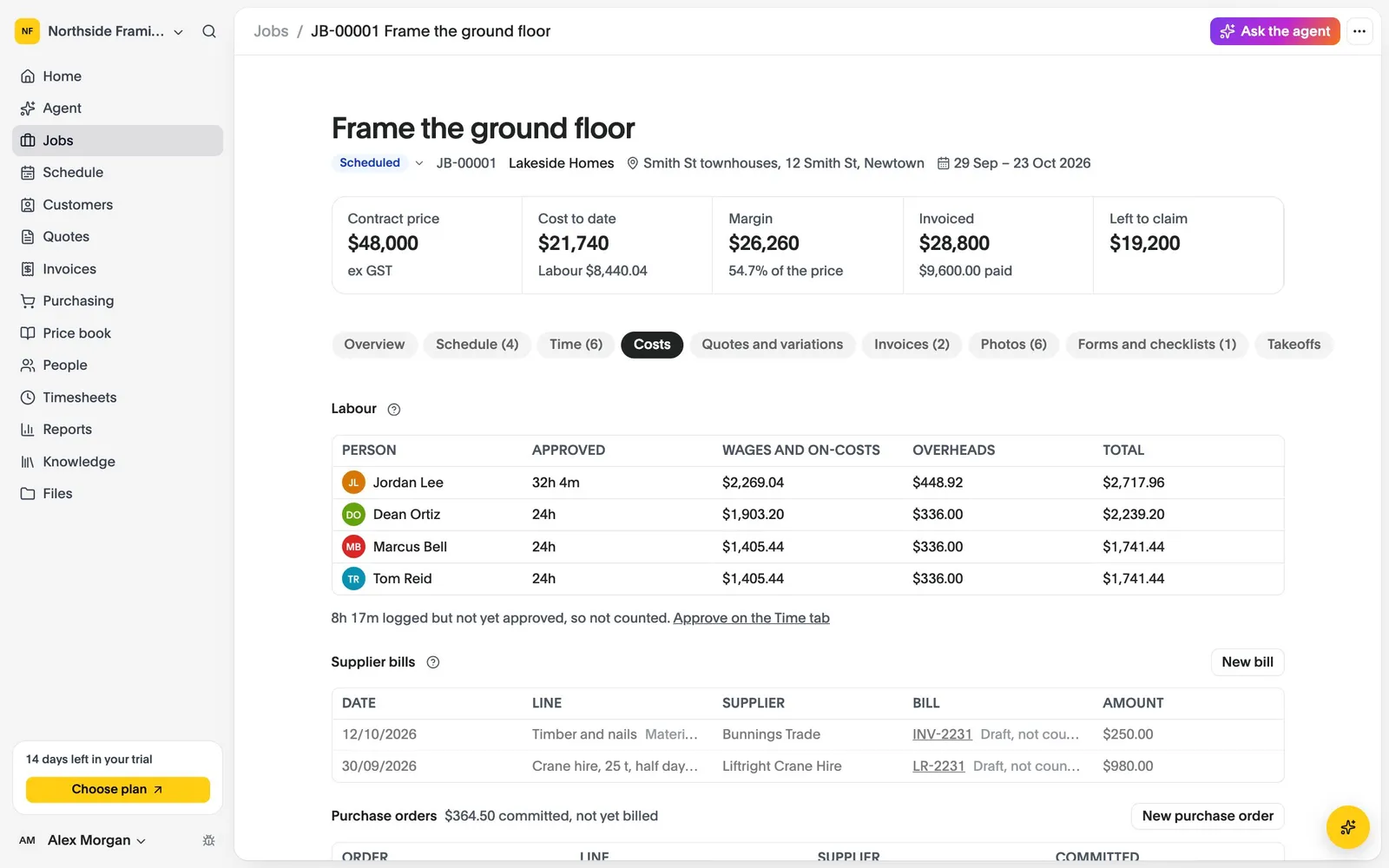
Set on-costs and overheads once. There is one loading, not one per spreadsheet, and each person’s rates have start dates.
Approved hours, supplier bills read in from Xero, purchase orders and stock used all land on the job they were for.
Job margins, hours by person and job, money owed by age and revenue by customer, each as a CSV.
Enter your on-costs, your overheads and each person’s rate once.
Approved hours, bills and purchase orders are allocated to jobs and stages.
See cost to date, committed cost and margin on every job, and every job at once on Home.
Compare what each plan includes on the pricing page.
Last updated October 2026
Set up your business, bring your team and run your next jobs in it. No credit card needed.